Customer Feedback Survey

Create engaging customer feedback surveys in minutes with the free WordPress Survey Maker by AYS. Create customer satisfaction surveys and service evaluation forms that help you understand your audience better and improve every step of their experience.
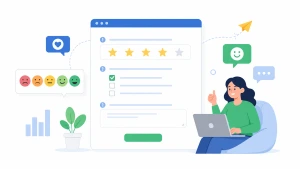
Customer Feedback


Here is a Customer Feedback Survey Example

Your Details
👋 Tell us who you are so we can follow up if needed.

1) What is your full name?

1) What is your full name?

2) What is your email address?

2) What is your email address?

3) What is the best phone number to contact you?

3) What is the best phone number to contact you?

Visit Details

1) When did you last use our service?

1) When did you last use our service?

2) What time of day did you interact with our team?

2) What time of day did you interact with our team?

3) How many times have you used our service?

3) How many times have you used our service?

Experience Feedback

1) How would you rate your overall experience with our service?

1) How would you rate your overall experience with our service?

2) How many stars would you give our customer support?

2) How many stars would you give our customer support?

3) Would you recommend us to a friend or colleague?

3) Would you recommend us to a friend or colleague?

Preferences and Interests

1) Which aspects of our service did you like the most?

1) Which aspects of our service did you like the most?

2) How did you hear about us?

2) How did you hear about us?

Additional Comments

1) What was the main reason for your visit today?

1) What was the main reason for your visit today?

2) Please share any additional feedback or suggestions.

2) Please share any additional feedback or suggestions.


WordPress Survey In A Minute

Features that we used in this survey

  • Theme: Classic light
  • Used 13 question types
  • Shows confirmation box for leaving the page
  • Shows previous button
  • Shows questions numbering by sections
  • Shows personalized thank you message
  • Shows restart button
  • Shows section header info
  • Shows custom buttons in the thank you message